Changelog

Every release, written up.

What changed in open-slide since the first commit, one minor version at a time. Patch fixes are folded into the release they belong to.

Latest release
v2.3.1
Releases
68
Contributors
19
First commit
Apr 19, 2026

Looking for every line item? Read the raw CHANGELOG.md

Show

Newest first

v2Sep – Oct 2026

open-slide 2. React 19, an editor that edits, and an agent that lives next to your slides.

New featurev2.3.0

An agent panel, right next to your slides

Connect the Claude Code or Codex CLI you already use and the whole authoring loop moves into the browser: draft a deck, answer the scoping questions, apply comments, or change the page you are looking at. Every step streams in while the slide frame glows in the agent’s colours.
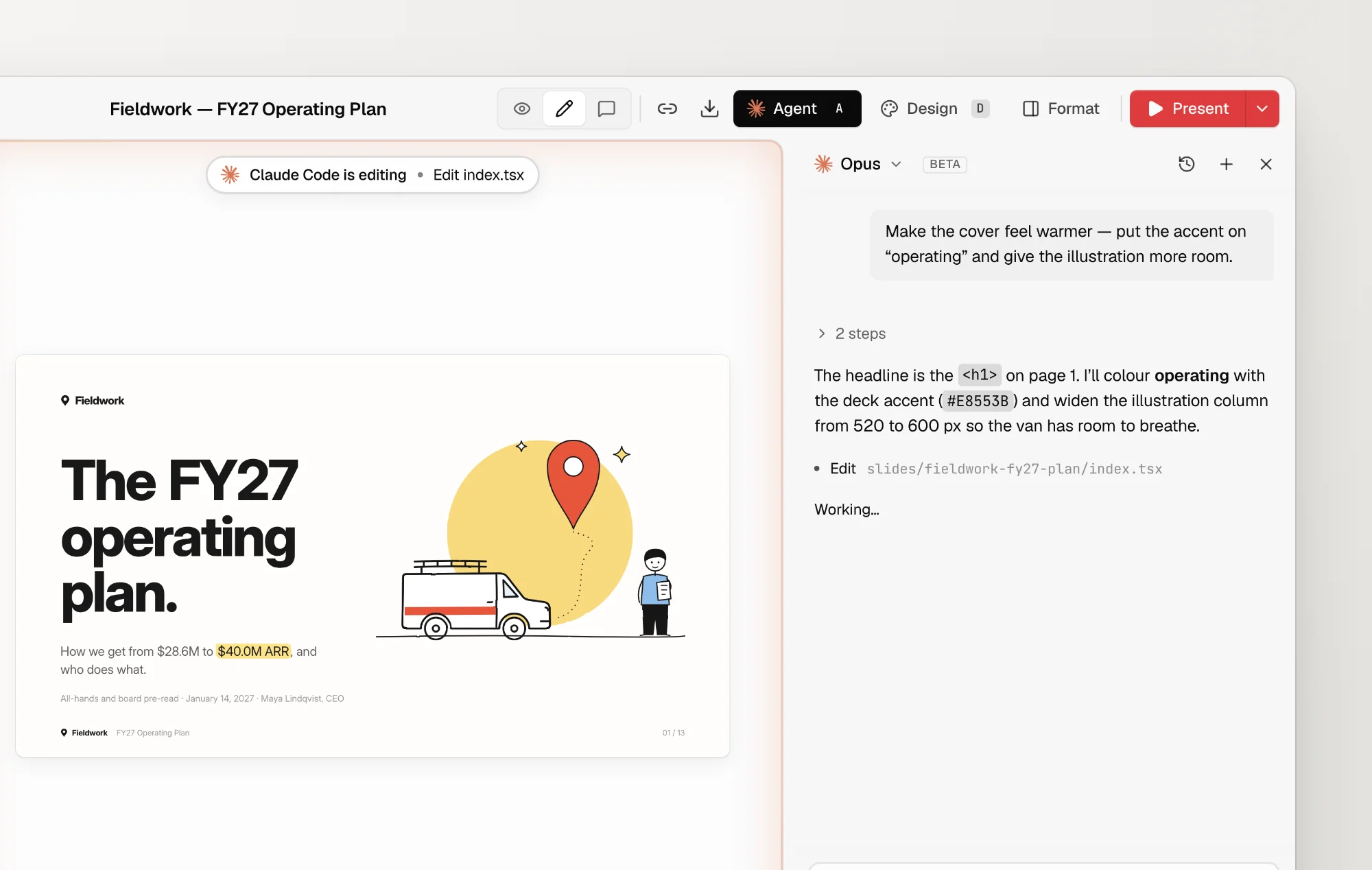
The agent panel beside the canvas while Claude Code edits the open deck
  • Draft a new deck page by page with create-slide, with the canvas following each page as it lands.
  • Apply every pending comment with one click from the comment bar.
  • Reuses your existing CLI login. The SDK installs into the workspace the first time you open the panel.
  • Present mode keeps its letterbox bars black on screens that aren’t 16:9.
Patch release2.3.1
  1. 2.3.1Latest

    The agent modules now ship with the package, so open-slide dev no longer fails to resolve agent/types.

New featurev2.2.0

Comment mode

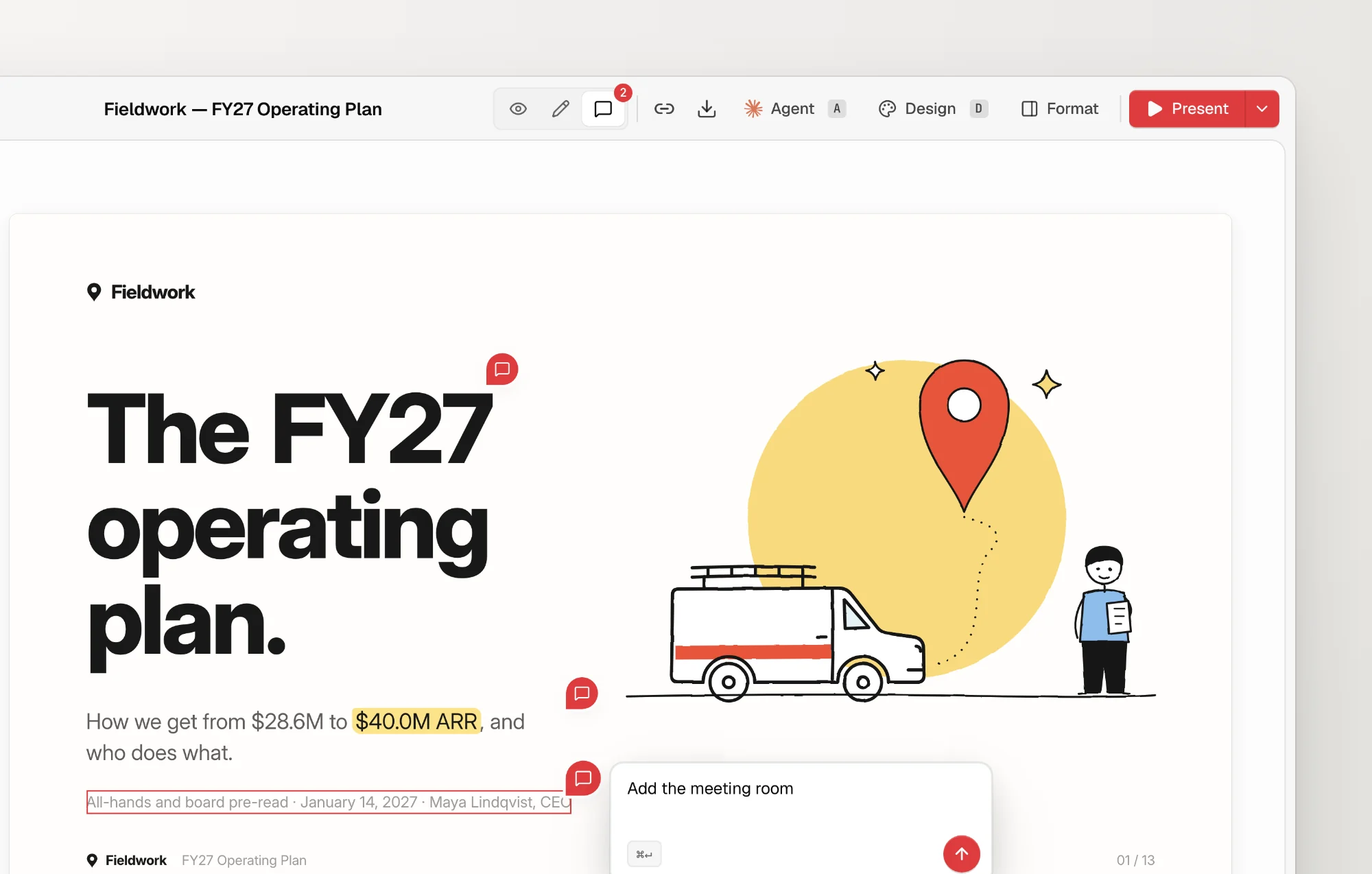
Comments moved out of the Format panel and into a mode of their own. Press C, click an element or drag across a region, and write the note in a floating composer. Every pending note sits as a pin beside the thing it is about.

Comment mode with two pinned notes and a third being written beside the slide footer
  • Drag a box to comment on an area instead of a single element.
  • Pins stay on the canvas, so a note can be edited or deleted in place.
  • A badge on the toolbar counts the notes waiting for your agent.
Improvementsv2.1.0

A preview route, Spanish, and smarter undo

  • A dev-only /s/<id>/preview?p=N route renders a single page without editor chrome, and the bundled skills screenshot it to check their own work.
  • The interface now speaks Spanish.
  • Undo and redo jump back to the page where the edit happened and reselect what changed.
  • Arrow keys move between focused slide thumbnails.
  • A new open-slide mark in the favicon and sidebar.
  • Toolbar titles and actions stay reachable in narrow windows.
  • Duplicating a slide no longer creates a folder that differs only by letter case.
Major releasev2.0.0

open-slide 2.0

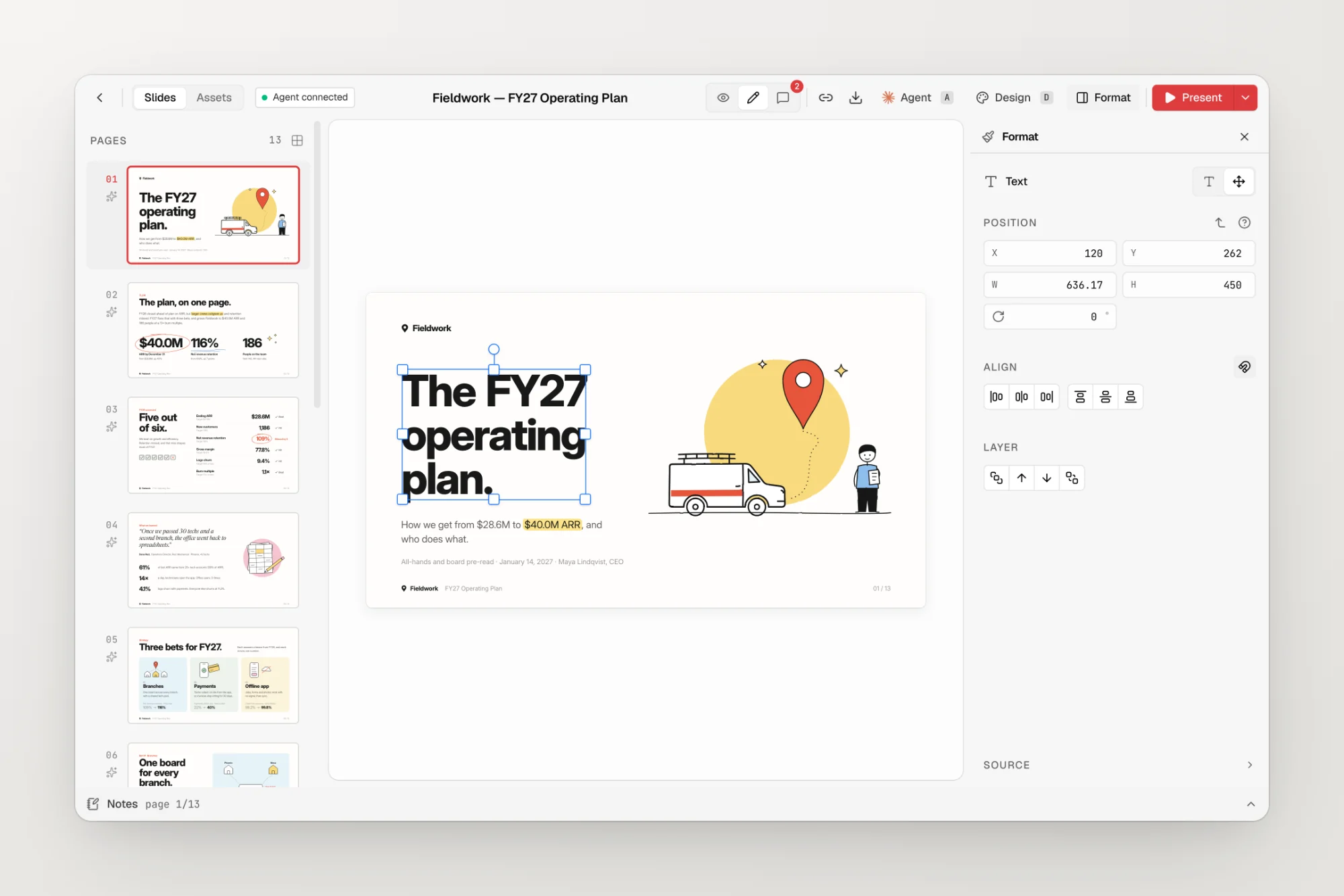
A new toolchain and an editor that actually edits. Decks now run on React 19, Vite 8, and TypeScript 7, and the inspector grew into a visual editor: drag, resize, rotate, align, and layer elements against smart guides, then format text right on the canvas.

The visual editor with a headline selected and the Arrange tab open
  • Visual editing with snapping, safe resizing, layer ordering, and undo and save recovery you can trust.
  • Double-click any text to edit it inline, with a floating toolbar for size, weight, colour, and alignment.
  • Export as PPTX now writes native, editable text boxes, shapes, and images, all built in the browser.
  • Search Google Fonts from the assets panel and download the weight you pick straight into the deck.
  • Speaker notes render as Markdown in presenter view.
  • A redesigned shell with inset content cards, a search field in the sidebar, and calmer page headers.
  • New terminal output for init, dev, build, and preview, and new workspaces no longer need a vite devDependency.
  • HTML exports reveal <Steps> one at a time, the way the player does.

Coming from v1? The upgrade takes a few minutes.

Migration guide
Patch release2.0.1
  1. 2.0.1

    The Vite conflict error points at the leftover vite entry and prints the exact command to remove it.

v1May – Aug 2026

open-slide 1. From a canvas and a skill file to themes, transitions, a real presenter, and a command menu.

New featurev1.19.0

Switch decks without leaving the stage

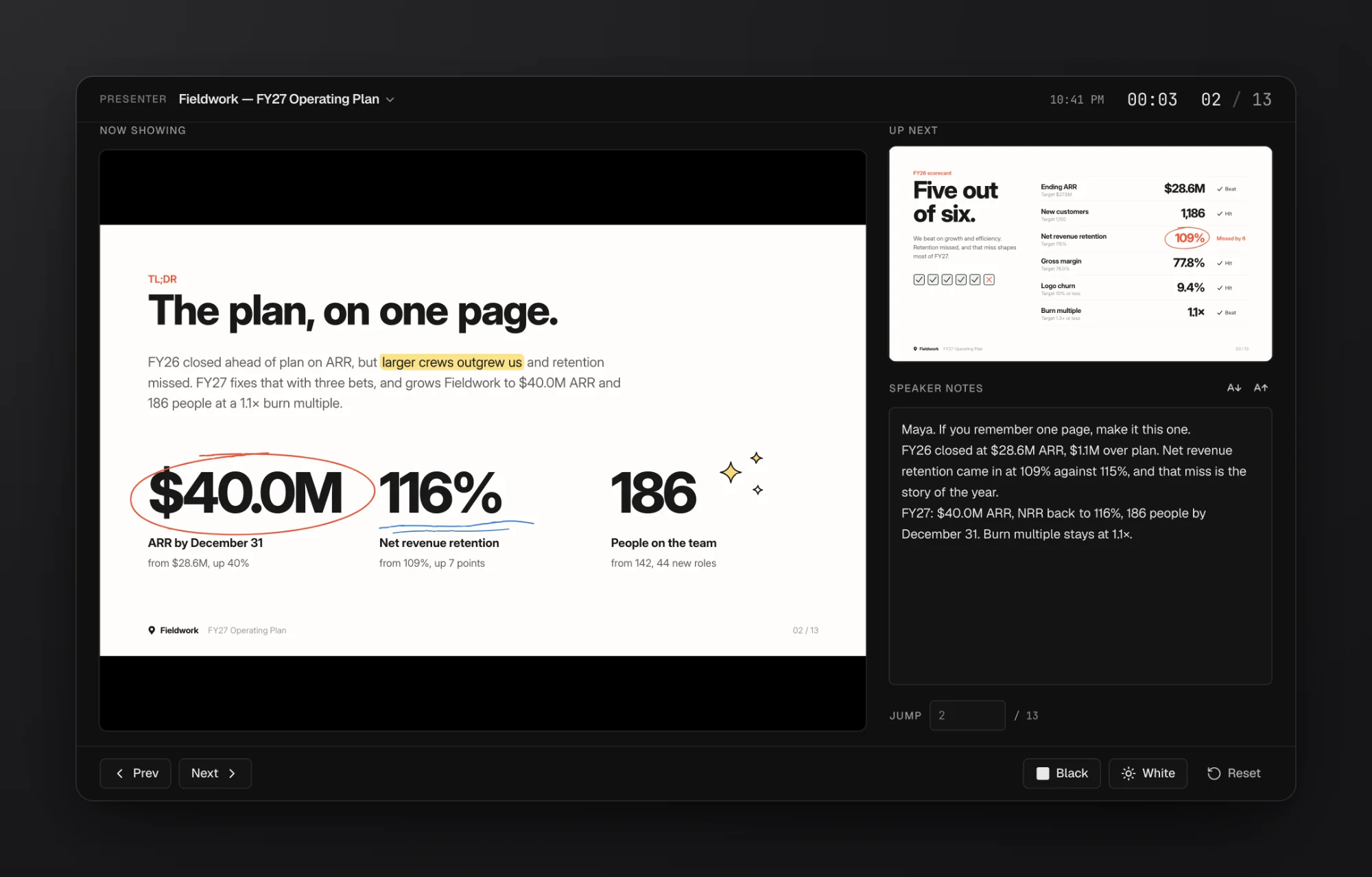
The presenter window can switch to another deck mid-talk. The projection follows along, and fullscreen and the timer keep running.

Presenter view with the current slide, the next slide, speaker notes, and the timer
  • allowedHosts in open-slide.config.ts lets proxied domains like Codespaces and Coder reach the dev and preview servers.
  • HTML exports keep video posters and mute state, autoplay only the visible page, and reset videos on hidden ones.
Patch release1.19.1
  1. 1.19.1

    One motion curve everywhere, press feedback across controls, flick-to-swipe in present mode, and no more flash on boot in dark mode.

New featurev1.18.0

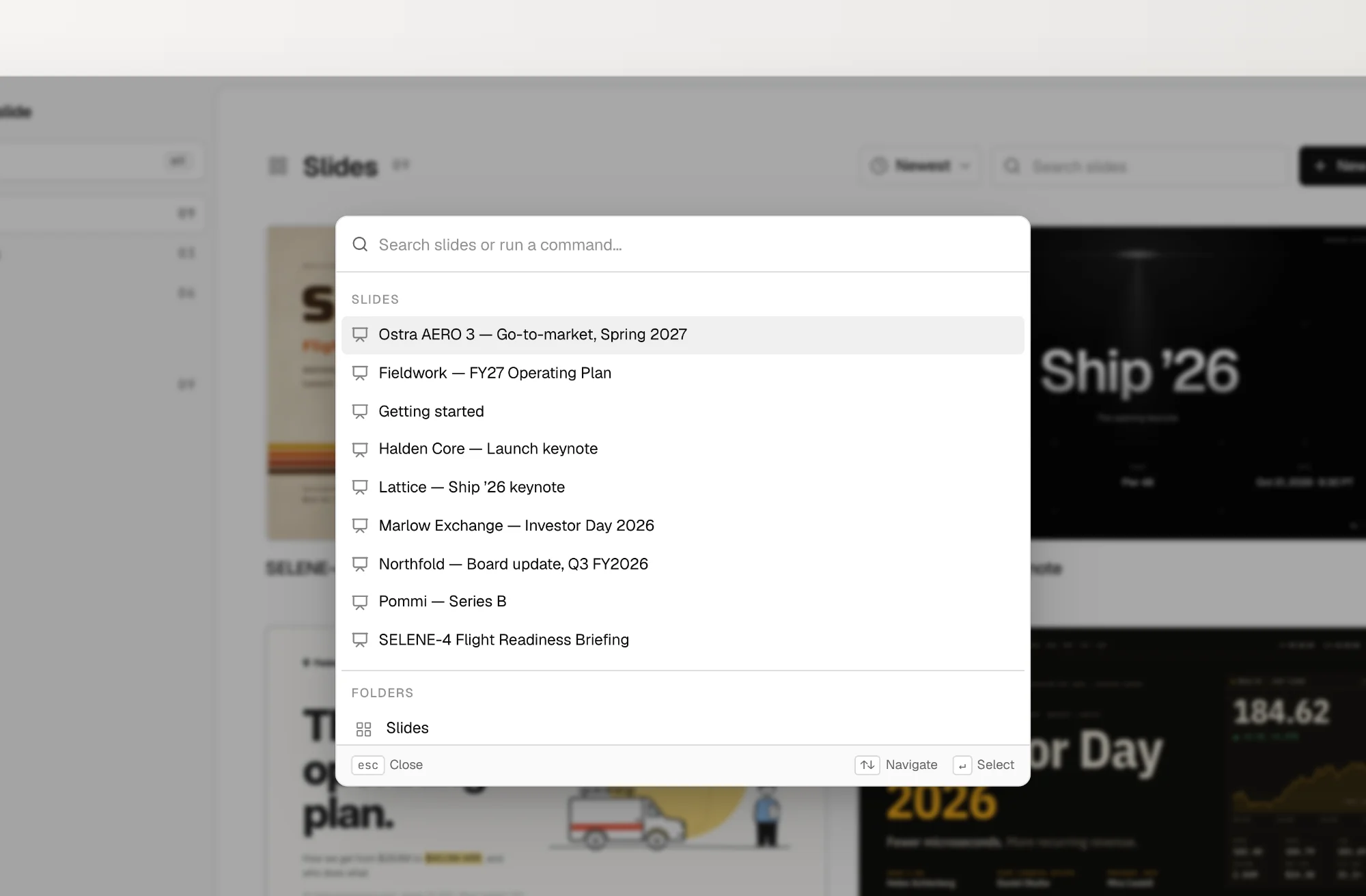
Press ⌘K

A command menu for everything: search decks, jump to a page, or run a slide action without reaching for the mouse.

The ⌘K command menu open over the slide list
  • A Playwright end-to-end suite now covers the viewer, present mode, presenter sync, inspector editing, the dev API, and static builds.
Improvementsv1.17.0

A first pass at React 19

Workspaces moved to React 19 and Vite 8, then 1.17.1 restored React 18 and Vite 5 compatibility for projects that weren’t ready. The full upgrade landed with 2.0.

Patch release1.17.1
  1. 1.17.1

    React 18 and Vite 5 work again for existing and newly generated projects.

New featurev1.16.0

MorphElement is stable

Shared-element transitions graduated from unstable_SharedElement to MorphElement, and the transition option is now simply morph.

  • useIsActivePage() lets a page play its entrance only on the live, audience-facing copy.
  • Morphs interpolate background, border, and outline colours instead of snapping at the end of the glide.
  • The slide-authoring skill is split into one reference file per primitive.
Improvementsv1.15.0

Base UI and a quieter palette

The internal UI moved from Radix to Base UI, and the app was retoned to flat, neutral grays with crisper labels.

  • The Assets sidebar entry is hidden in production builds, where it can’t do anything.
3 patch releases1.15.1 – 1.15.3
  1. 1.15.1

    The dev server no longer throws a missing useSyncExternalStore export.

  2. 1.15.2

    The same fix, made to hold under pnpm.

  3. 1.15.3

    Adjustable speaker-notes text size, notes that save without remounting the canvas, and a clear warning for folders with non-ASCII names.

New featurev1.14.0

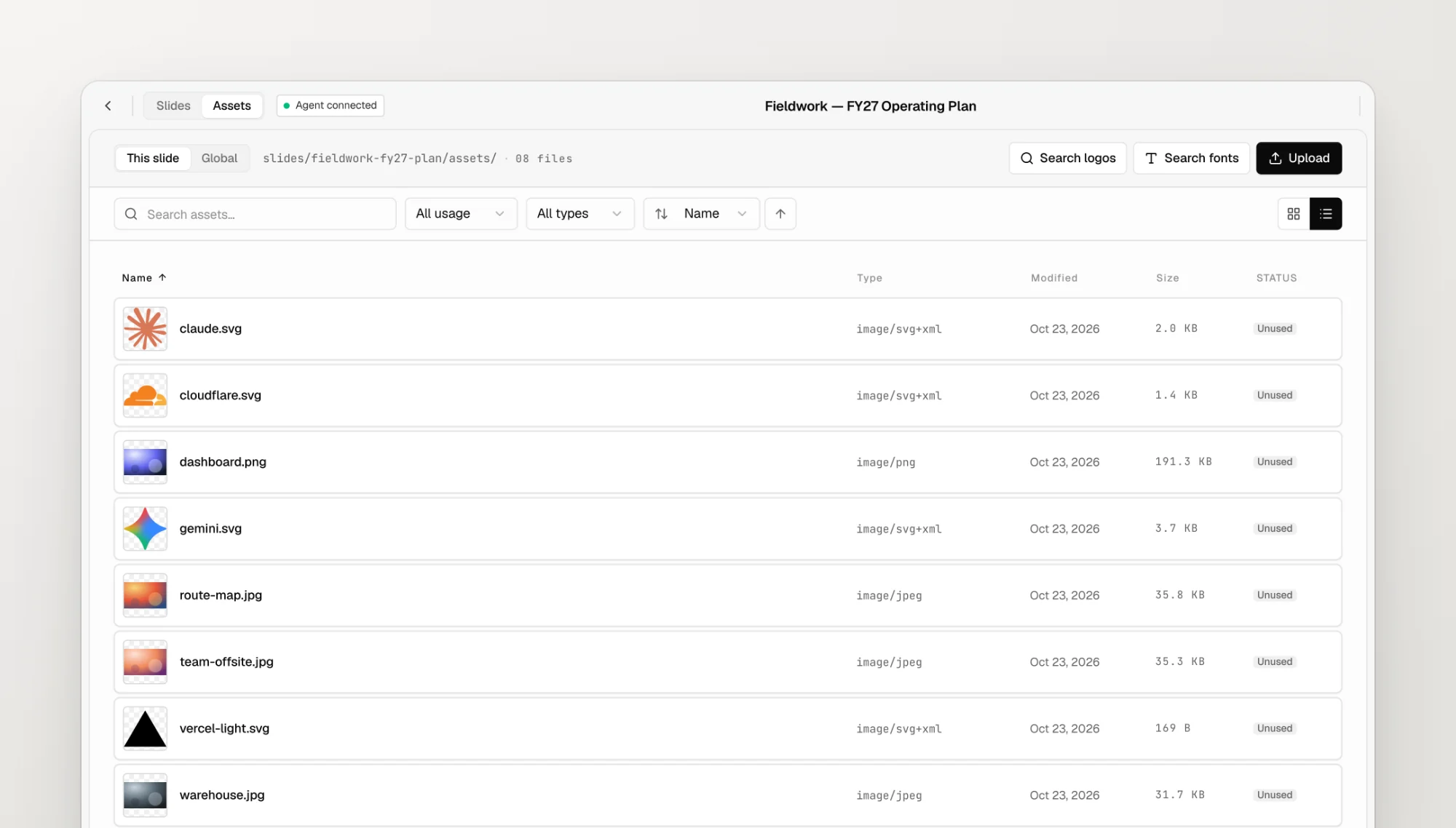
A proper assets manager

Search, sort, and filter assets by usage and file type, switch between a resizable grid and a list, and see when each file was added or changed.

The assets manager in list view with file types, sizes, and usage status
  • After an in-app update, the sidebar tooltip can restart the dev server for you.
  • An edge control brings you back to the current slide when its thumbnail scrolls out of view.
New featurev1.13.0

Shared elements, and present mode on your phone

unstable_SharedElement brought Keynote-style continuity between pages, and present mode became comfortable on phones with single-tap playback and controls that hide themselves.

  • Speaker notes stay attached to the right page when pages are deleted or duplicated.
6 patch releases1.13.1 – 1.13.6
  1. 1.13.1

    A virtualized thumbnail rail for large decks, and shared-element borders that keep their width while resizing.

  2. 1.13.2

    The horizontal thumbnail rail is virtualized too.

  3. 1.13.3

    An all-slides view as the home page, Draft moved into the sidebar, and a mobile home with a menu and folder picker.

  4. 1.13.4

    Every page’s images and fonts preload behind the loading screen, so playback never pops in.

  5. 1.13.5

    Revealed steps no longer bleed through the loading screen.

  6. 1.13.6

    Read-only builds play the deck’s transition and reveal steps one at a time.

@adawang1210@jeremyjordan

With help from @adawang1210 and @jeremyjordan

New featurev1.12.0

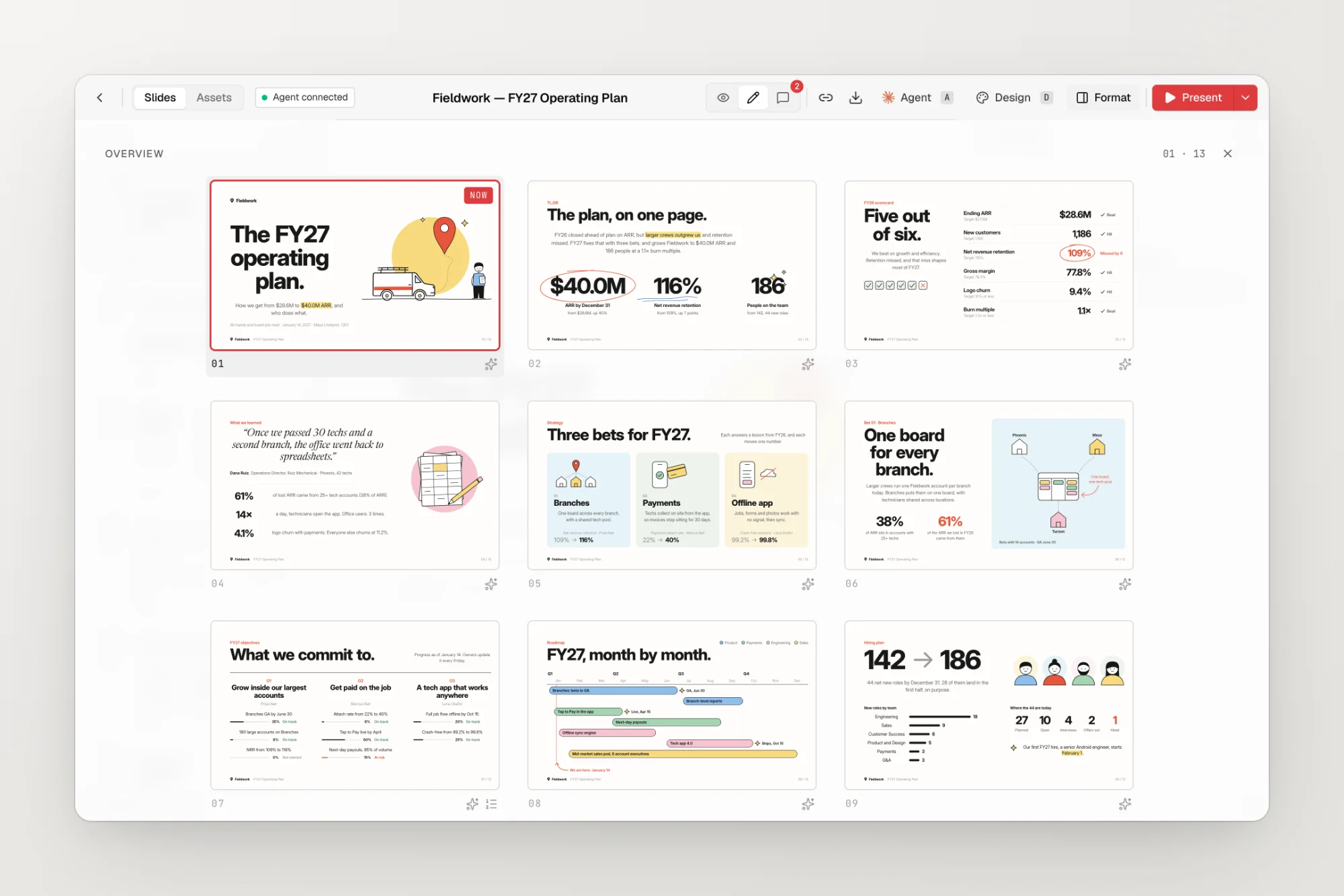
Every page at a glance

Press O in the editor to lay every page out in a grid, styled to match the editor around it.

The slide overview grid showing every page of a deck
  • One-click updates from the home sidebar upgrade open-slide and sync the bundled skills.
  • PDF export no longer hangs on subsetted CJK webfonts.
  • The slide-authoring skill learned to load webfonts once, with only the weights a deck uses.
Patch release1.12.1
  1. 1.12.1

    Transition and step markers in the overview, a tidier toolbar on narrow screens, and HTML exports that keep their aspect ratio on small viewports.

New featurev1.11.0

Host anywhere, present faster

base in the config serves a build from a subpath like GitHub Pages. New shortcuts on the slide view: Space advances, Enter plays in the window, and P opens the presenter.

  • The presenter mirrors <Steps>: Now Showing matches the projection and Up Next previews the next beat.
  • PDF exports keep raster backgrounds.
  • Home thumbnails no longer flash at full size before they settle.
Patch release1.11.1
  1. 1.11.1

    Enter and Escape respect IME composition across inputs, and PPTX exports stop triggering PowerPoint’s repair prompt.

New featurev1.10.0

Steps

<Steps> and <Step> reveal a page one beat at a time, driven by the same next and previous keys as page navigation.

Improvementsv1.9.0

Image PPTX, a language switcher, and version hints

  • Export as image PPTX renders each page onto its own PowerPoint slide.
  • A language switcher next to the theme toggle replaces the locale config option.
  • The home sidebar shows the installed version and nudges you when an update is out.
Improvementsv1.8.0

Folders you can drag

  • Reorder sidebar folders by dragging them.
  • Click a slide title to rename it in place.
  • Click-to-navigate zones no longer cover videos and links in present mode.
  • The inspector finds the right source files on Windows.
@why39@ridemountainpig

With help from @why39 and @ridemountainpig

New featurev1.7.0

Page transitions

The SlideTransition API declares how pages enter and leave, and the authoring skill ships with tasteful examples to start from.

  • I and D toggle the inspector and the Design panel.
  • Selected images get a floating bar with Replace and Crop.
  • init suggests a safe folder name when yours has shell-unfriendly characters.
Improvementsv1.6.0

Templates, page numbers, and unused files

  • Duplicate a deck from its card to use it as a template.
  • useSlidePageNumber() lets a page render its own number.
  • Unused files in the assets manager get an Unused pill.
  • PDF exports page through macOS Preview at full speed.
@mvanhorn@samzzi

With help from @mvanhorn and @samzzi

Improvementsv1.5.0

Sorting and sharing

  • Sort the home page by creation time or name.
  • Copy a link to the current slide from the toolbar.
  • Deleting an asset turns its usages back into image placeholders instead of broken imports.
  • Dev-server write routes check where requests come from.
@ridemountainpig@DeryFerd

With help from @ridemountainpig and @DeryFerd

New featurev1.4.0

Global assets and a Present menu

A project-wide assets/ folder, imported with @assets/*, is shared by every deck and theme. The Present button gained a menu for windowed play, fullscreen, and presenter mode.

  • Style a selected range of text inside the inspector’s content field.
@chentyke

With help from @chentyke

New featurev1.3.0

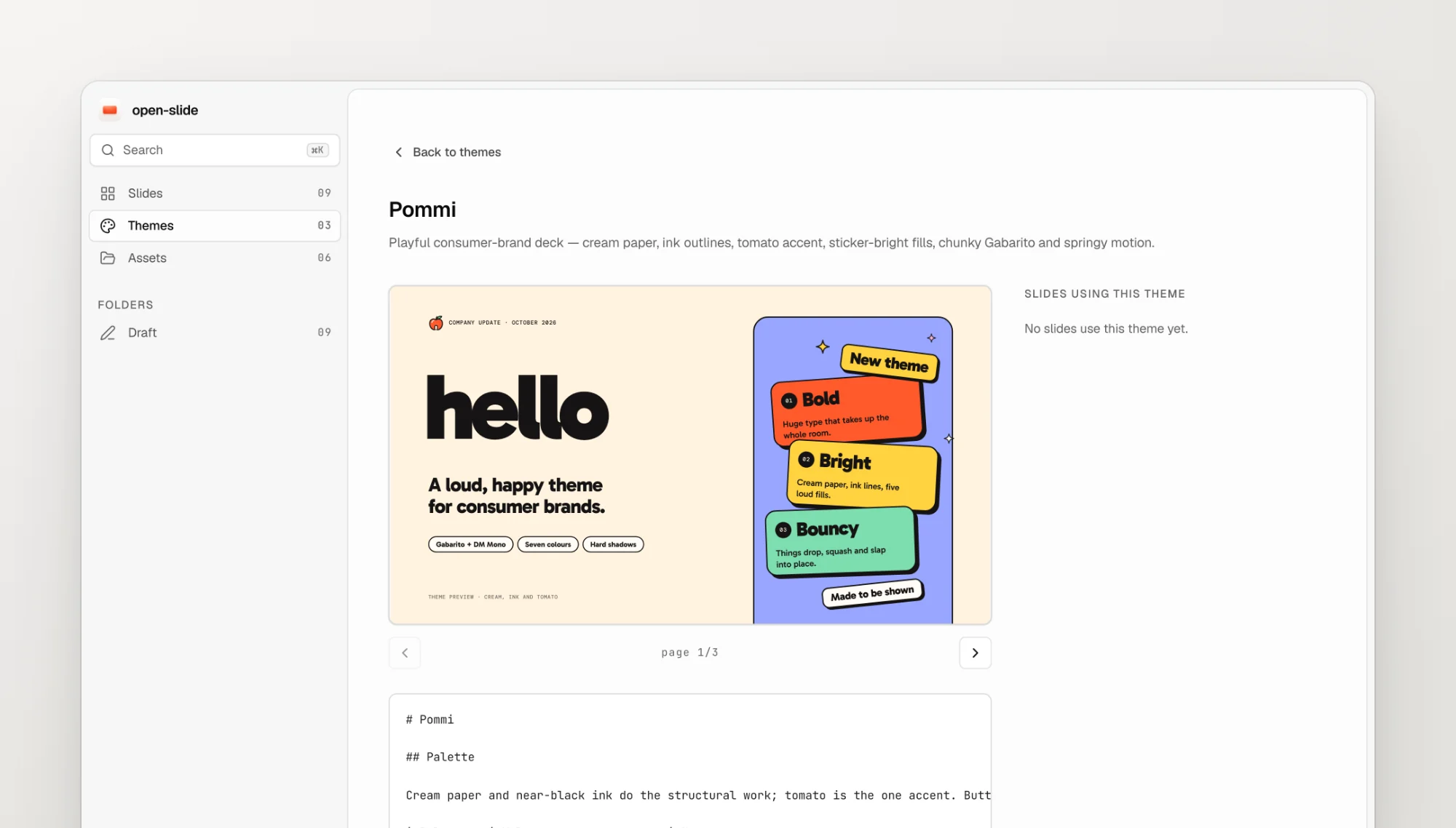
Themes

Themes under themes/ get a gallery and a page of their own, each previewed live from a paired demo slide. Decks can name the theme they came from, and /create-theme writes both files.

A theme page with its live demo slide and description
  • Drop an image onto an <ImagePlaceholder /> to upload and assign it in one step.
  • Resize the thumbnail rail by dragging its edge.
  • New decks appear on the home page without restarting the dev server.
  • init asks which package manager to use.
New featurev1.2.0

Your agent sees what you see

The dev server publishes the current slide, page, and selected element, and the current-slide skill lets agents resolve “this page” and “this element”. An Agent connected badge shows the link is live.

  • A notes drawer under the canvas edits speaker notes page by page.
  • Right-click a thumbnail to duplicate or delete its page.
  • The crop rectangle in the Crop dialog can be resized.
Improvementsv1.1.0

Reorder by dragging

  • Drag thumbnails to reorder pages. The new order is written back to index.tsx.
  • A shuffle button in the Design panel tries a curated preset for inspiration.
  • A Crop dialog frames replaced images, and replacements keep the placeholder’s aspect ratio.
Major releasev1.0.0

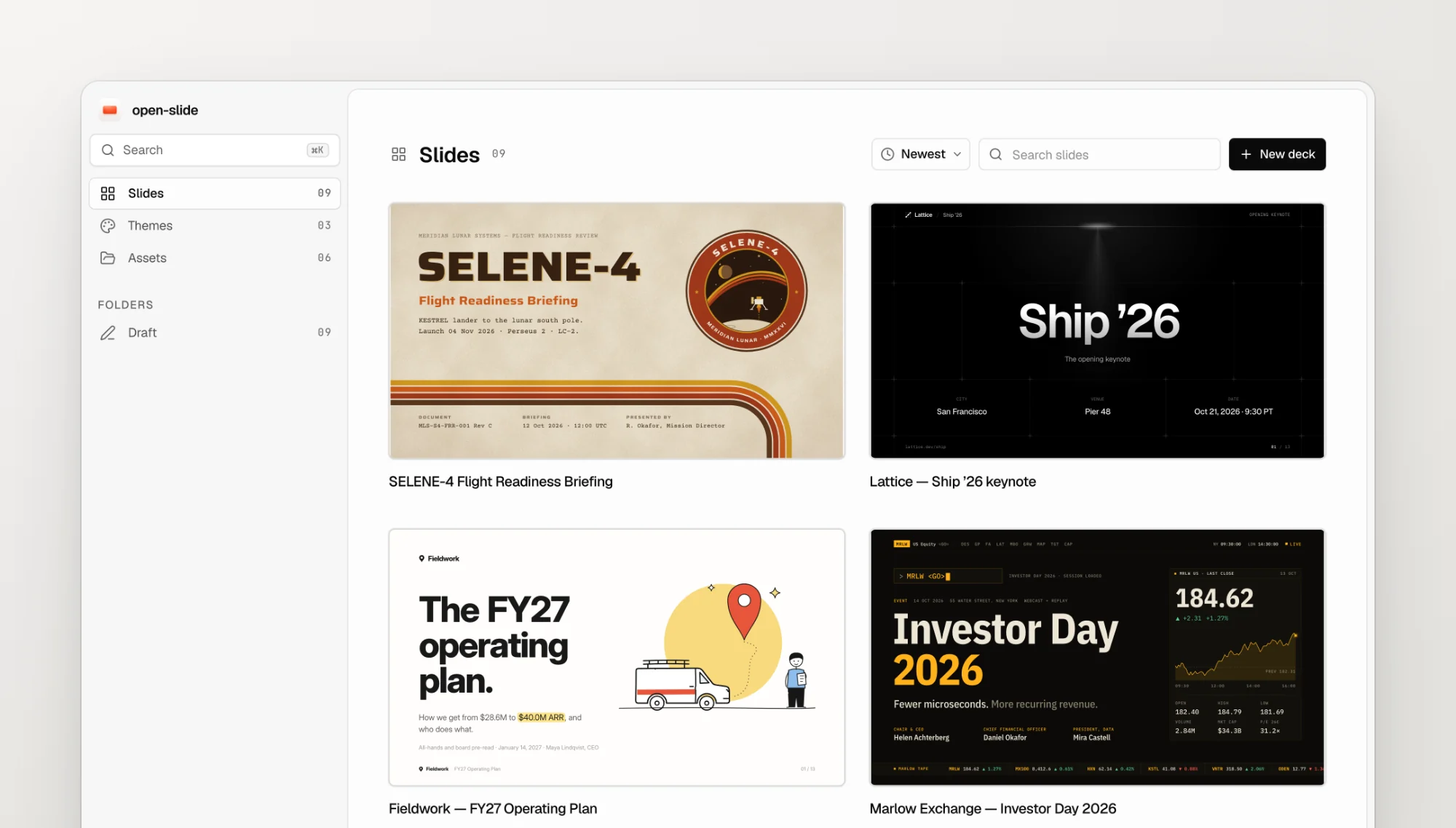
open-slide 1.0

Two weeks after the first commit: a 1920 × 1080 React canvas, present mode, an inspector for comments and quick edits, a Design panel, static HTML export, and the agent skills that write the decks.

The open-slide home page listing every deck in the workspace
6 patch releases1.0.1 – 1.0.6
  1. 1.0.1

    Generated slides use design tokens by default, so the Design panel can tweak them right away.

  2. 1.0.2

    The radius design token is a single number.

  3. 1.0.3

    The starter template includes the required radius field.

  4. 1.0.4

    create-slide proposes three visual directions tailored to the topic instead of a fixed preset list.

  5. 1.0.5

    The UI in English, Traditional and Simplified Chinese, and Japanese, plus inspector edits that land on the right instance of repeated content.

  6. 1.0.6

    The dev server runs on Windows, and the inspect highlight stays aligned as the panel opens.

0.xApr 2026

Preview. Sixteen releases in two weeks, built in the open.

Originv0.0.1 – 0.0.16

The first commit

open-slide started on April 19 as a canvas, a player, and a create-slide skill. By 0.0.16 it had folders, an inspector, HTML downloads, a typed open-slide.config.ts, and a landing page.