
Present mode
Fullscreen playback with presenter view, notes, and timer.
Fullscreen playback
From the dev server, hit Present (or press f). The current deck goes
fullscreen, scaled uniformly to fit the screen:
- Arrow / space /
PgDnto advance. ←/↑/PgUpto go back.Home/Endto jump to first / last.Escto exit.
Presenter view
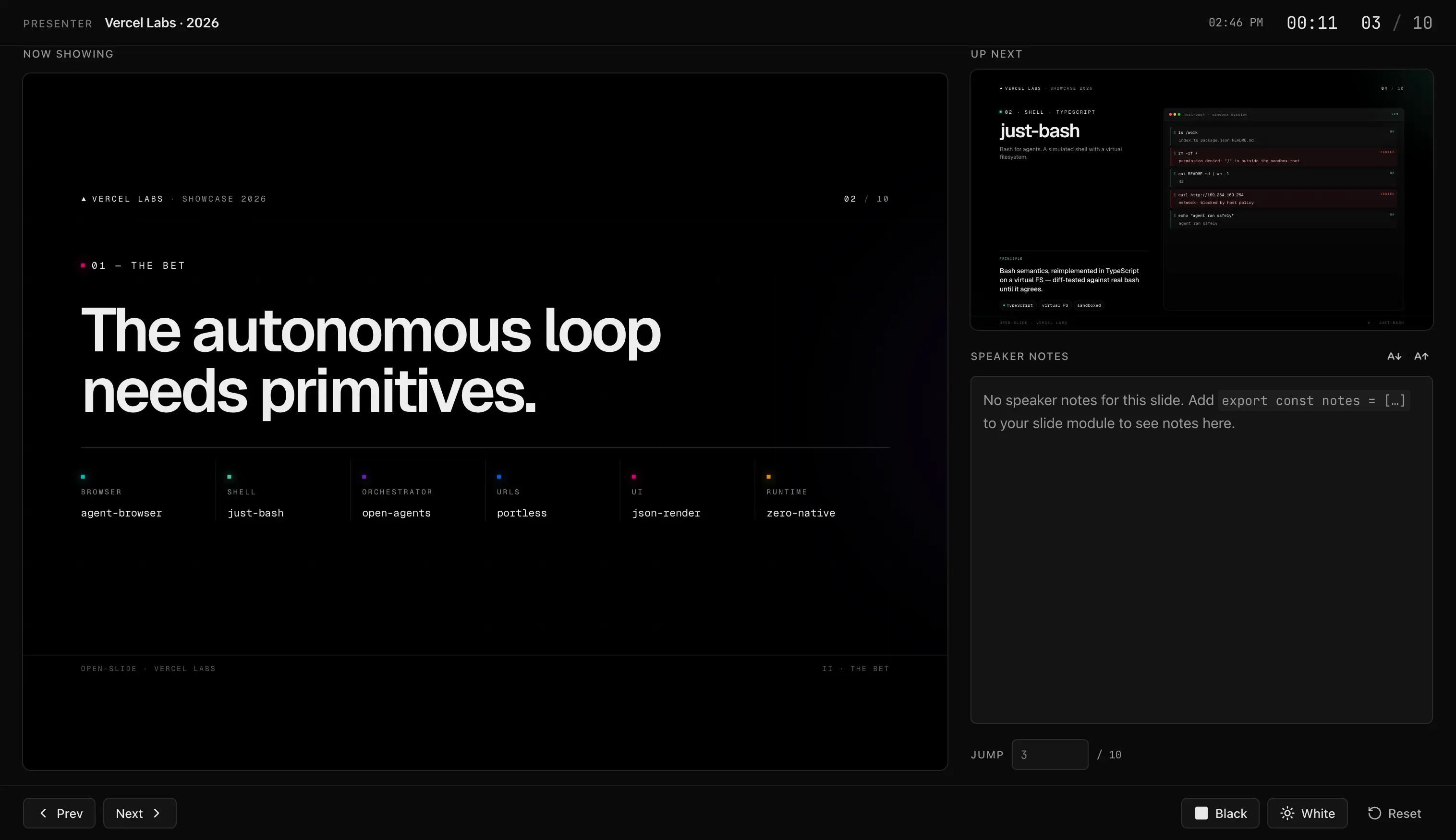
Press p (or the presenter button in the present control bar) to open the
presenter view in a second window:
- Current slide at the size you'll show it.
- Next slide preview.
- Speaker notes for the current page.
- Timer — elapsed time since you entered present mode.
Keep it on the laptop screen while the deck mirrors to the projector.
Speaker notes
Add notes alongside the page array — an array of strings, index-aligned with
the pages (use undefined to skip a page):
export const notes = [
  'Open with a smile. Mention the analyst quote from yesterday.',
  undefined,
  'Pause here for questions. The chart is a hand-off.',
];