
Introduction
A slide framework built for agents.
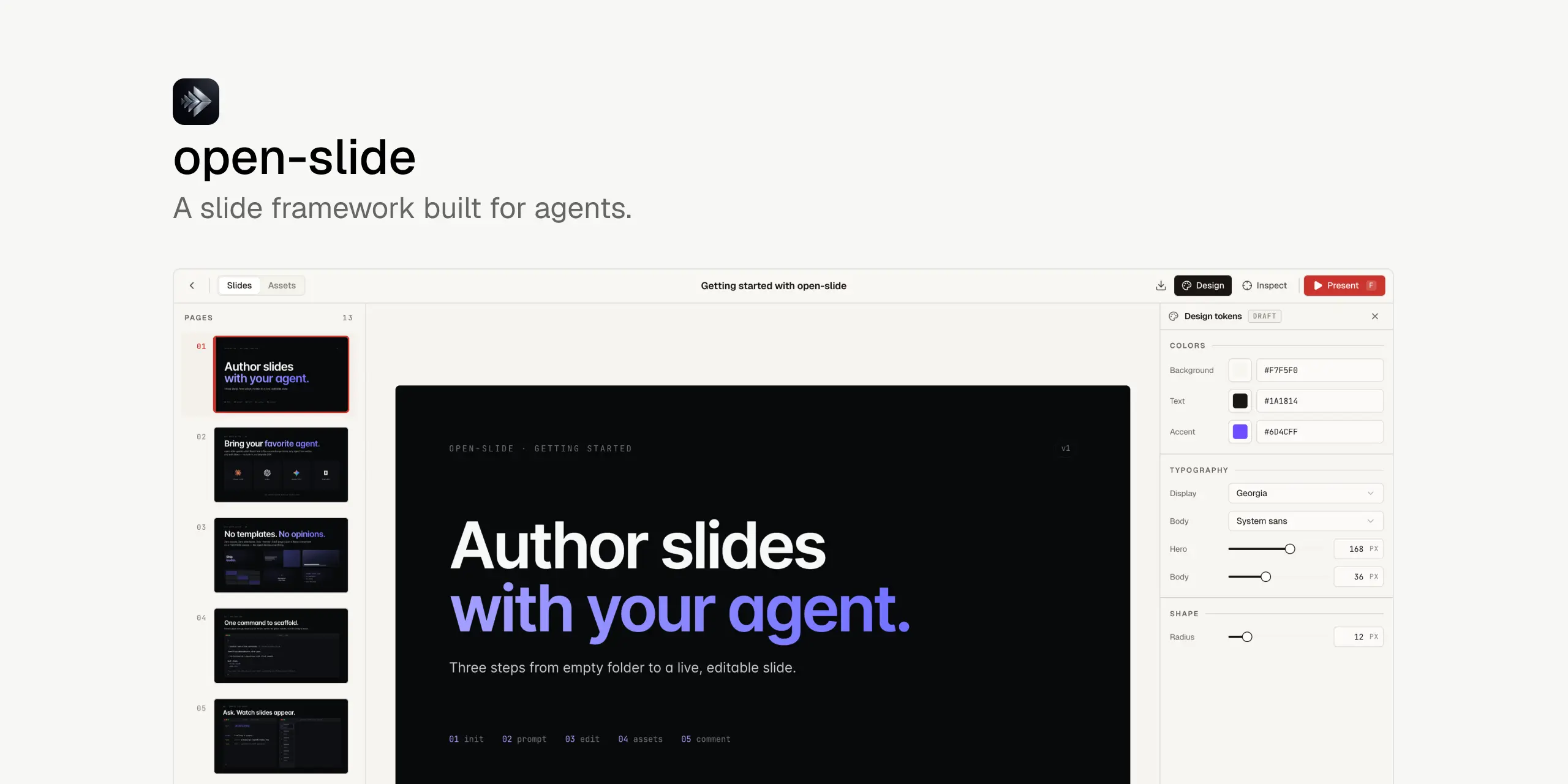
open-slide is a slide framework for the agent era. You describe a deck in natural language; your coding agent writes the React. open-slide handles the canvas, scaling, navigation, hot reload, present mode, and export so the agent can focus on content.
Every page renders into a fixed 1920 × 1080 canvas. Slides are arbitrary React components — not a constrained DSL.
npx @open-slide/cli initWhy open-slide
- Agent-native authoring. Ships with skills that any Claude Code, Codex, or Cursor session can call.
- In-browser inspector. Click any element in the dev server to tweak it directly in the visual editor, or leave a comment for your agent to apply.
- Assets manager + svgl. Drop in images, search 1500+ brand logos through the integrated svgl catalogue.
- Professional present mode. Fullscreen playback, presenter view, speaker notes, timer.
- Export to static HTML or PDF. Self-contained output — share without a server.
A slide is a file
Each deck lives under slides/<kebab-case-id>/. The entry is
slides/<id>/index.tsx. Assets sit alongside in slides/<id>/assets/.
import type { Page, SlideMeta } from '@open-slide/core';

const Cover: Page = () => (
  <div style={{ width: '100%', height: '100%', background: '#08090a', color: '#f7f8f8' }}>
    <h1 style={{ fontSize: 188, letterSpacing: '-0.04em' }}>
      Hello, <em style={{ color: '#7170ff' }}>open-slide</em>.
    </h1>
  </div>
);

export const meta: SlideMeta = { title: 'Getting started', theme: 'corporate' };
export default [Cover] satisfies Page[];
Two rules: the default export is an array of components (one per page), and
each component fills its container (width: '100%' / height: '100%').
The 1920 × 1080 canvas
The runtime scales the canvas uniformly to fit the viewport, so the same slide looks identical on a phone, a 4K monitor, and a beamer — every pixel coordinate you write is the coordinate that ships, in preview, present mode, and export.