
Themes
Reusable design systems shared across decks.
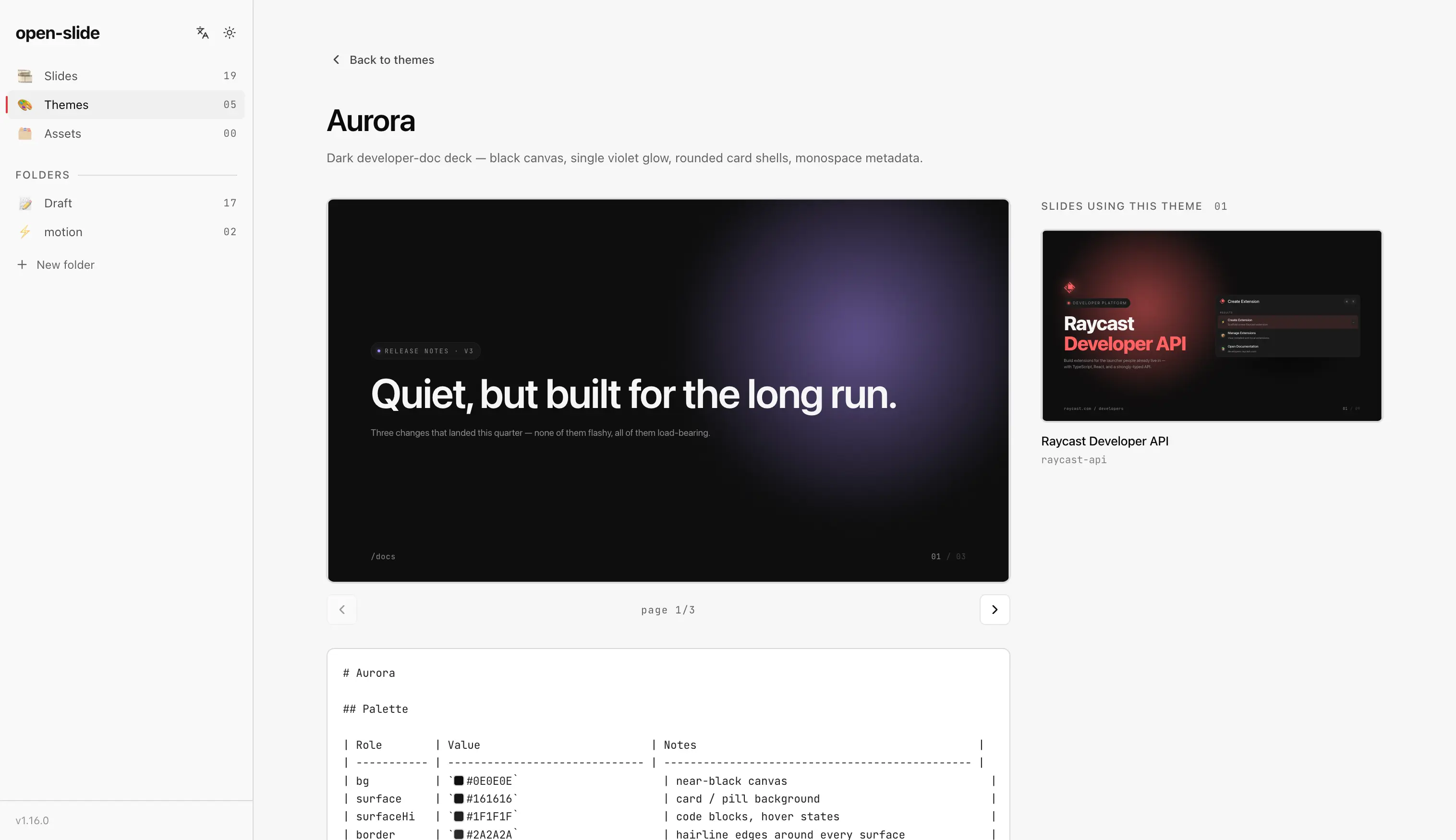
A theme is a bundle of two paired files under themes/:
themes/<id>.md— agent-facing recipe: palette, typography, layout, fixed components, motion.create-slidereads this before authoring.themes/<id>.demo.tsx— a runnable mini-slide that demonstrates the theme. The dev UI's Themes panel imports it and renders it as the theme's live preview card.
Both files share the same stem so the runtime can pair them automatically. If you author more than two decks you'll want them to look related — a theme captures the recipe in one place any deck can reference, and the demo makes it browsable in the dev UI before you pick one.
File layout
themes/
├── corporate.md
├── corporate.demo.tsx
├── editorial.md
├── editorial.demo.tsx
├── retro-print.md
└── retro-print.demo.tsx
The markdown is free-form. A useful template:
---
name: Corporate
description: Calm corporate look with a single accent.
mode: dark
---

# Corporate

## Palette
- ink: #0a0a0c
- accent: #4a52b5
- mint: #1f8458

## Typography
- display: 'Söhne', system-ui
- mono: 'JetBrains Mono'

## Voice
- Tight, declarative, never coy.
- One concept per slide.
The demo is a normal slide module — same shape as slides/<id>/index.tsx,
just placed under themes/ so the runtime treats it as preview-only (it
does not appear in the slides list):
import type { Page } from '@open-slide/core';

const Cover: Page = () => (/* …inline Title / Footer using theme tokens… */);
const Content: Page = () => (/* … */);

export default [Cover, Content];
Keep the demo's inline Title/Footer/Eyebrow components verbatim in sync
with the snippets in the markdown — what authors see in the Themes panel
should match what create-slide will paste into a real slide.
Using a theme
When you call /create-slide, mention the theme by name:
/create-slide for "Q3 board update — use the corporate theme"The agent loads themes/corporate.md, applies the palette and type stack,
and writes pages that match.
Extracting a theme
Already have a deck whose look you like? Use
/create-theme to extract its design tokens
into a reusable theme file.